

Free scan About Support Contact
Get Velo

Already have an account? Log in

Your website
privacy workspace.

Manage your banner, cookies and consent records in one workspace. Review findings, update settings and check how visitor choices reach your tags.

Built by the data team at Amplio Data.

Your privacy work.
One console.

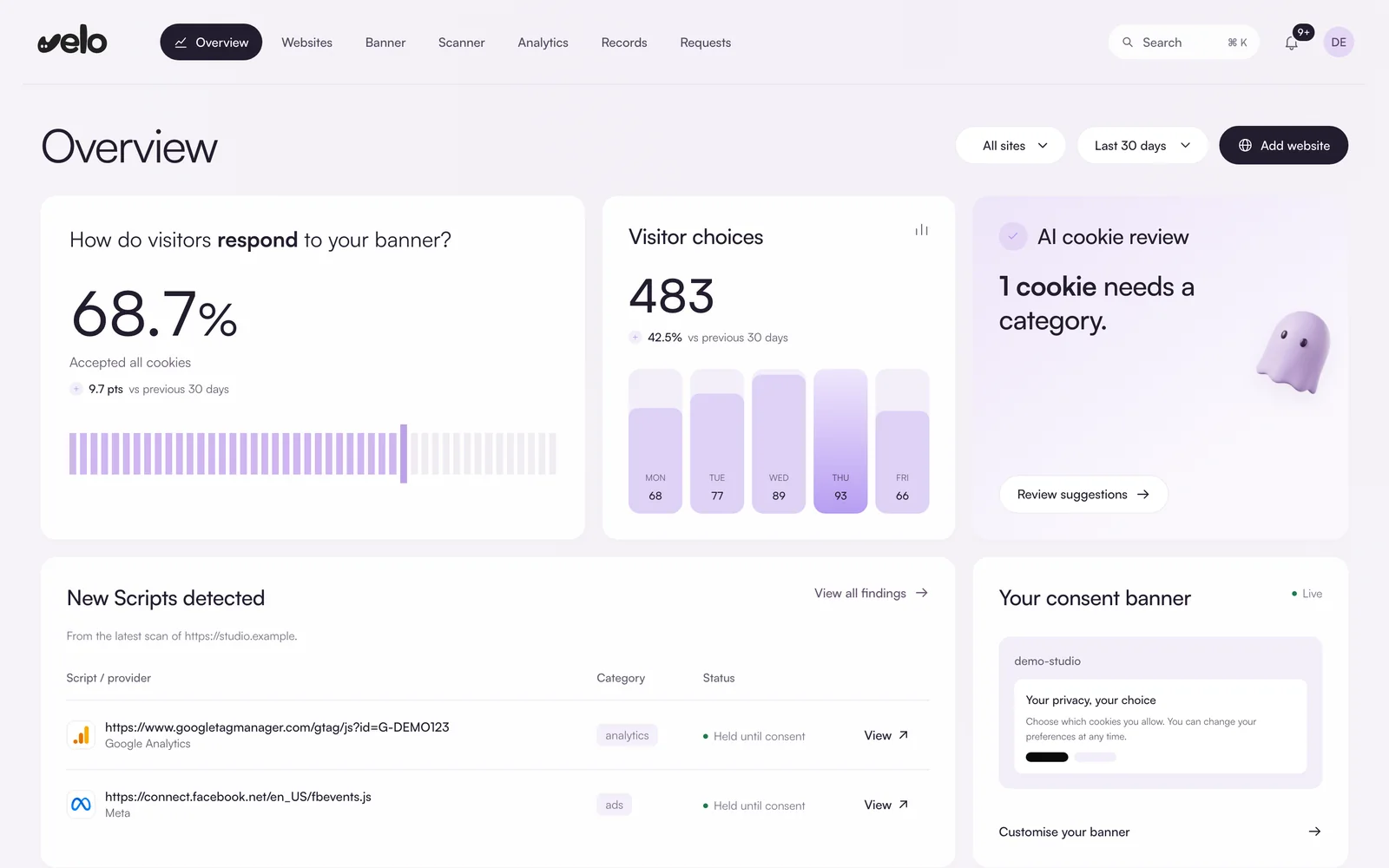
Banner, cookies, visitor choices and privacy requests for every site on your plan, all in one place. The overview shows what changed and what needs you.

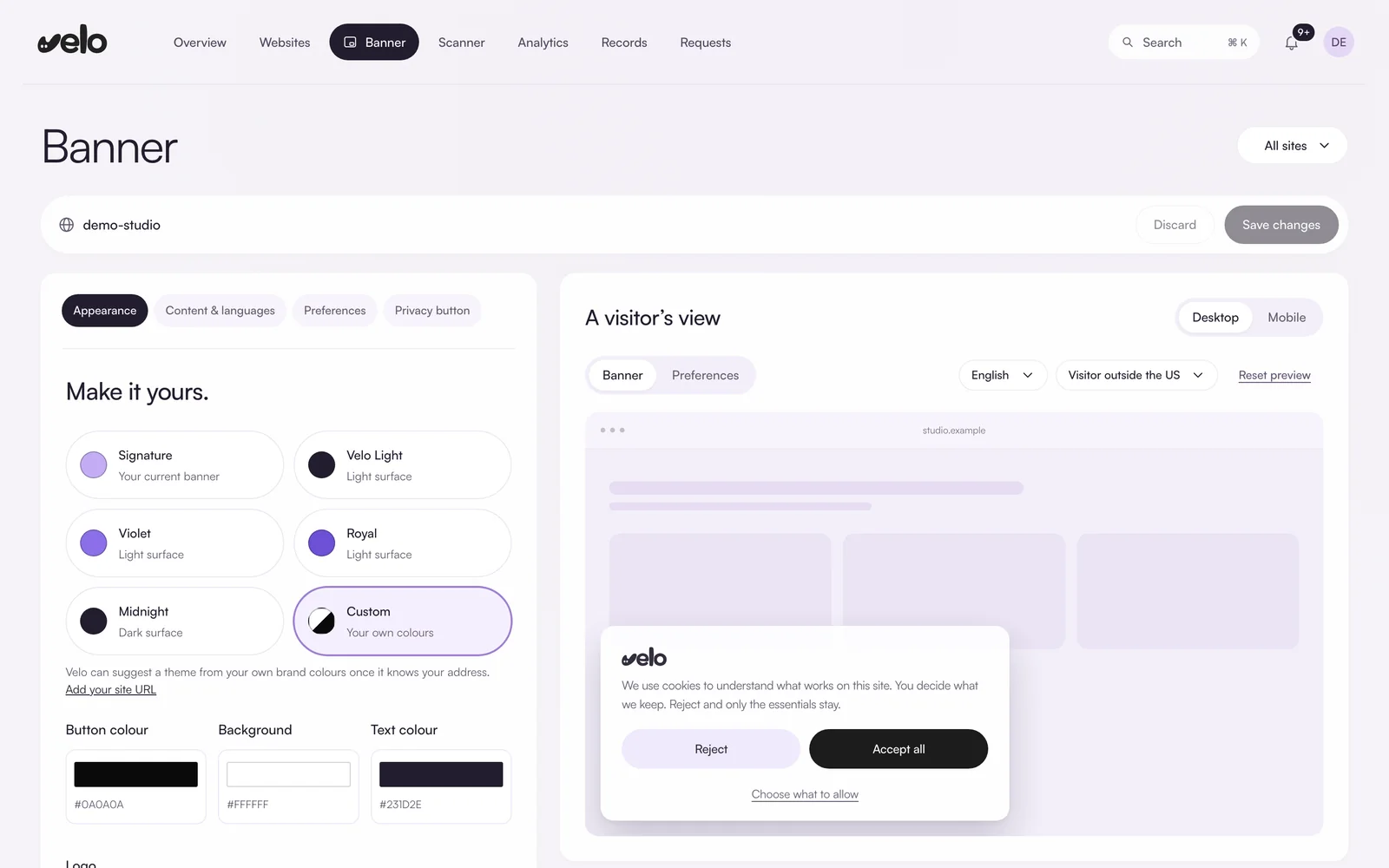
The Velo console overview: the share of visitors who accept the banner, visitor choices by day, cookies waiting for a category, newly detected scripts and a preview of the live consent banner.

Screens from the Velo console, shown with an example site and illustrative data.

How it works,
screen by screen.

From the first install to the last privacy request, here is what you do in Velo and where you do it.

03 · Scanner

Know every cookie on your site

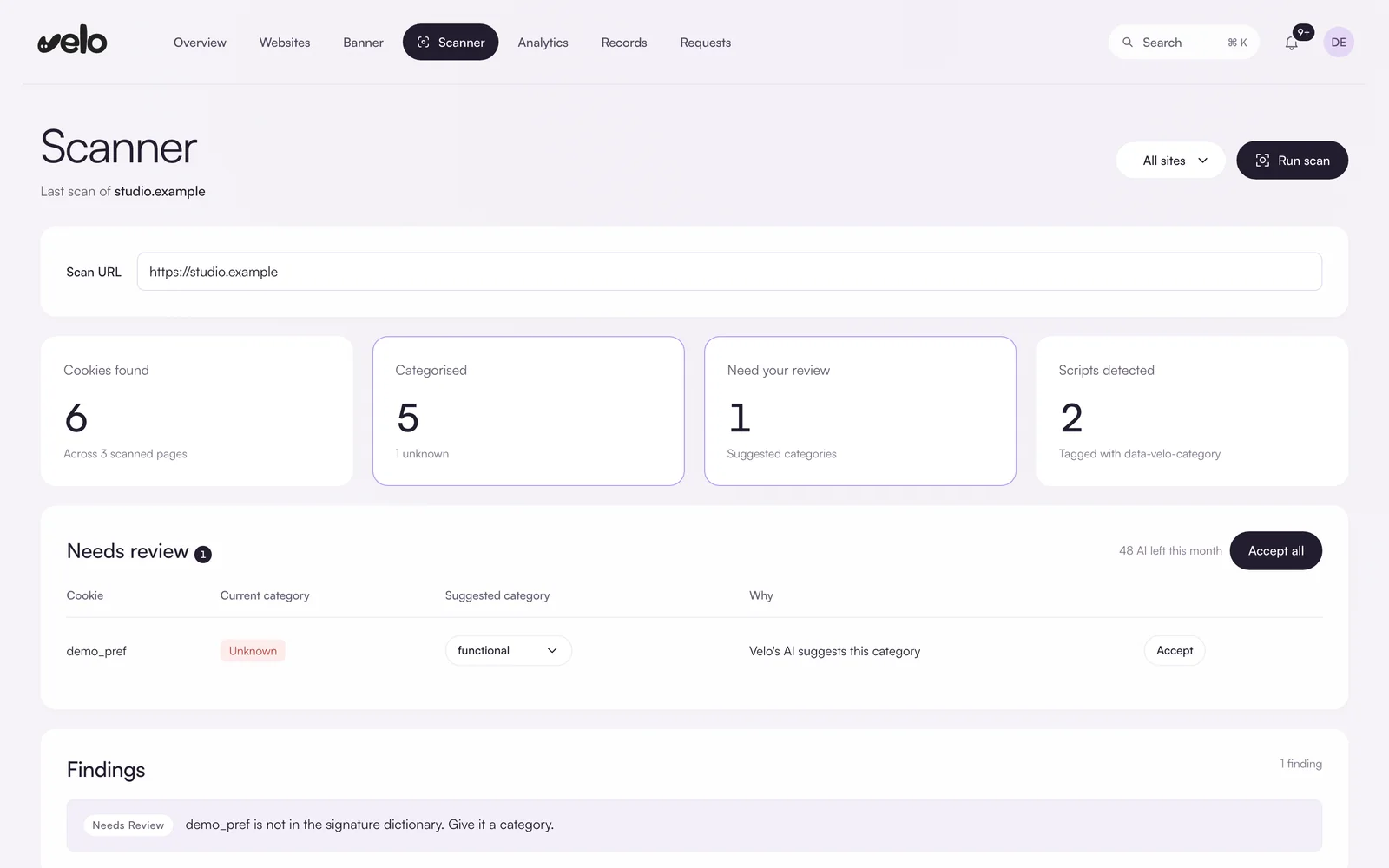
The scanner visits your site as a real visitor would, before and after accepting cookies, and lists every cookie and script it finds. Unknown cookies can come with a suggested category, and nothing changes until you accept it.

  • Cookies, scripts and localStorage keys, with the pages they were found on
  • Suggested categories for unknown cookies, applied only when you accept
  • Findings that flag what needs your attention
  • On Pro, a monthly automatic rescan keeps the list current
The Velo scanner: counts of cookies found, categorised, needing review and scripts detected, a review table with a suggested category, and findings.
04 · Regions

The right defaults in every region

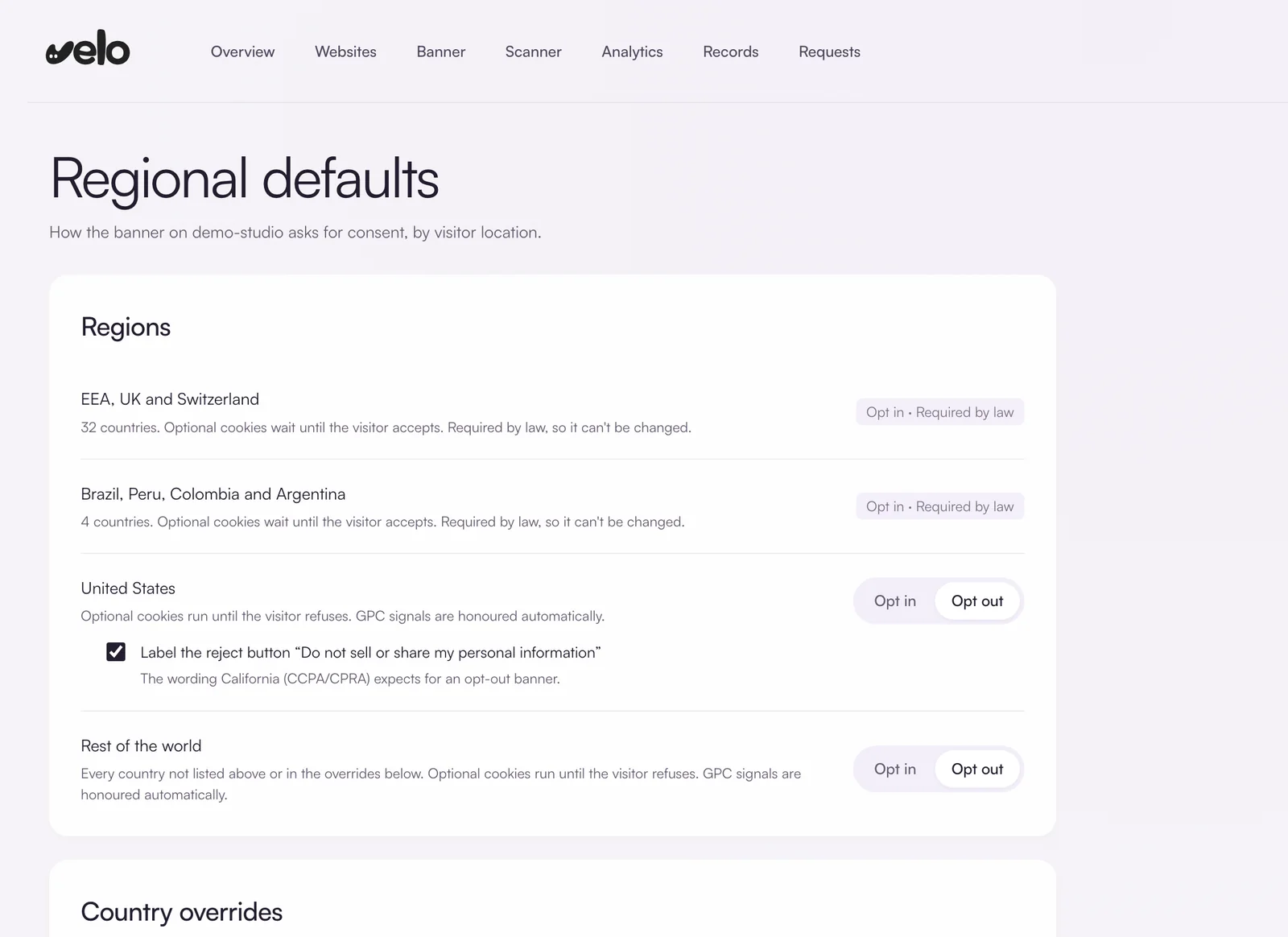
Velo reads each visitor’s country and applies the matching consent defaults. Where the law requires opt in, it stays locked on. Where you have a choice, you make it.

  • Opt in across the EEA, the UK and Switzerland, and in Brazil, Peru, Colombia and Argentina
  • Opt out in the US, with Global Privacy Control signals honoured automatically
  • An optional “Do not sell or share my personal information” label for California
  • Country overrides wherever the law leaves the choice to you
The Velo regional defaults screen: opt in required by law for the EEA, UK and Switzerland and for Brazil, Peru, Colombia and Argentina, and opt in or opt out choices for the United States and the rest of the world.
05 · Analytics

See how visitors answer

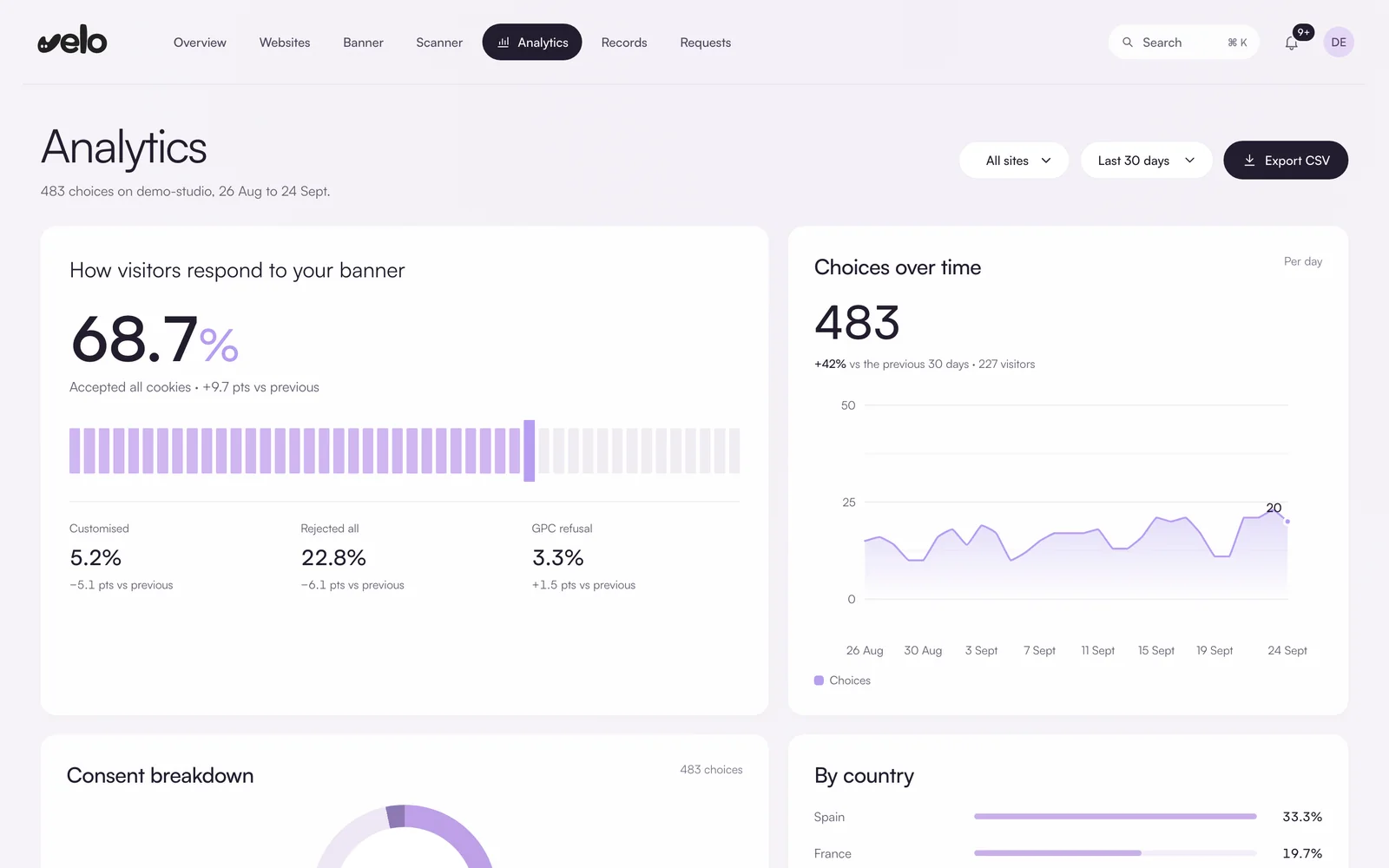
Follow how many visitors accept, reject or customise their choice, how that moves over time and where they are. Every figure is compared with the previous period.

  • Accept, reject, customised and GPC refusal rates
  • Choices over time and by country
  • A consent breakdown by category
  • Export the numbers as CSV
Velo analytics: the share of visitors who accepted all cookies, customised, rejected all or sent a GPC refusal, and a chart of choices over time.
06 · Records

Proof of every choice

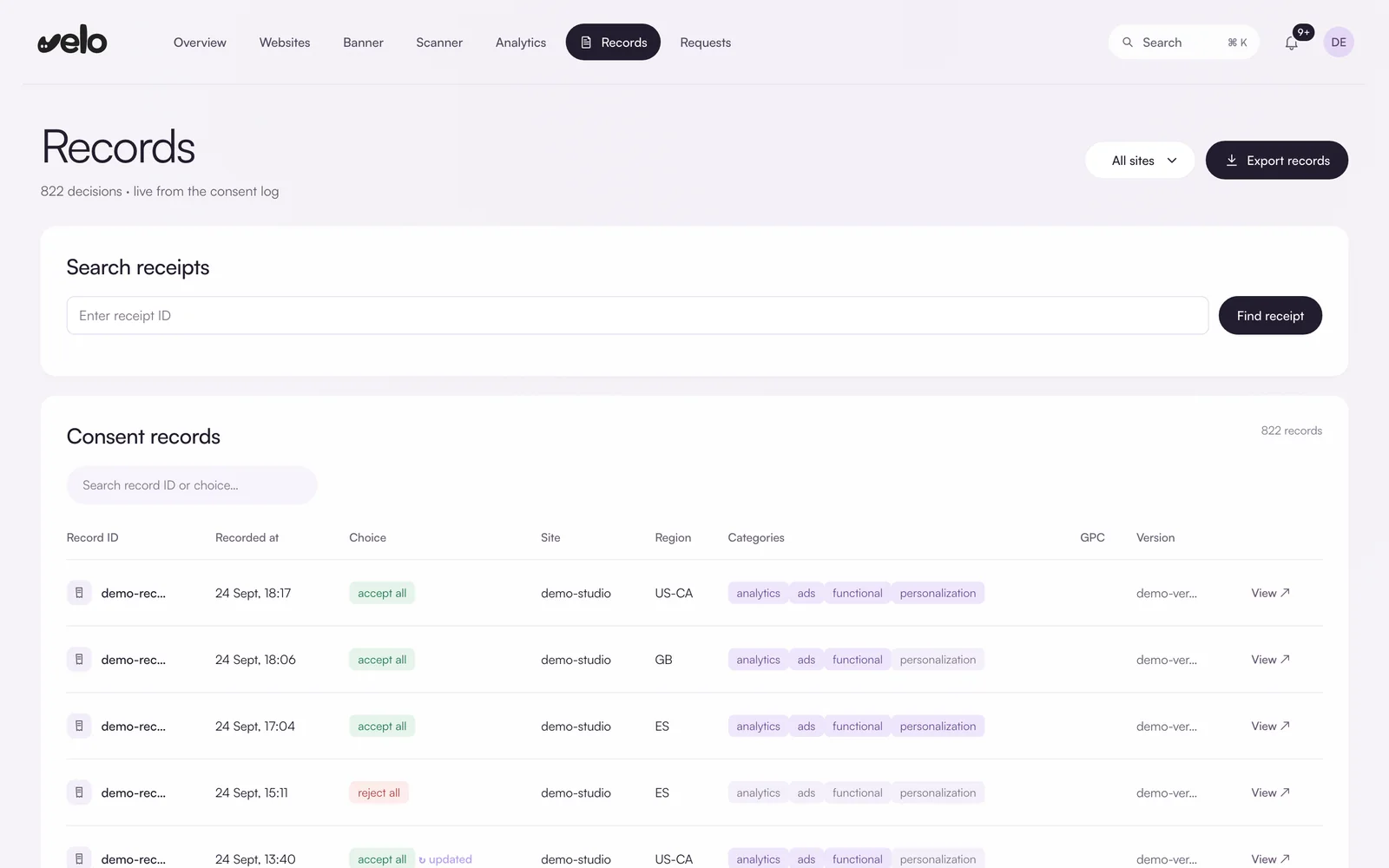
Every decision is logged with a receipt ID, the time, the region, the categories allowed and the banner version the visitor saw. Look up a single receipt when someone asks.

  • Search any decision by its receipt ID
  • Choice, region, categories and GPC status on every record
  • Export records as CSV
Velo consent records: a receipt search and a table of decisions with time, choice, site, region, categories and banner version.
07 · Requests

Answer privacy requests on time

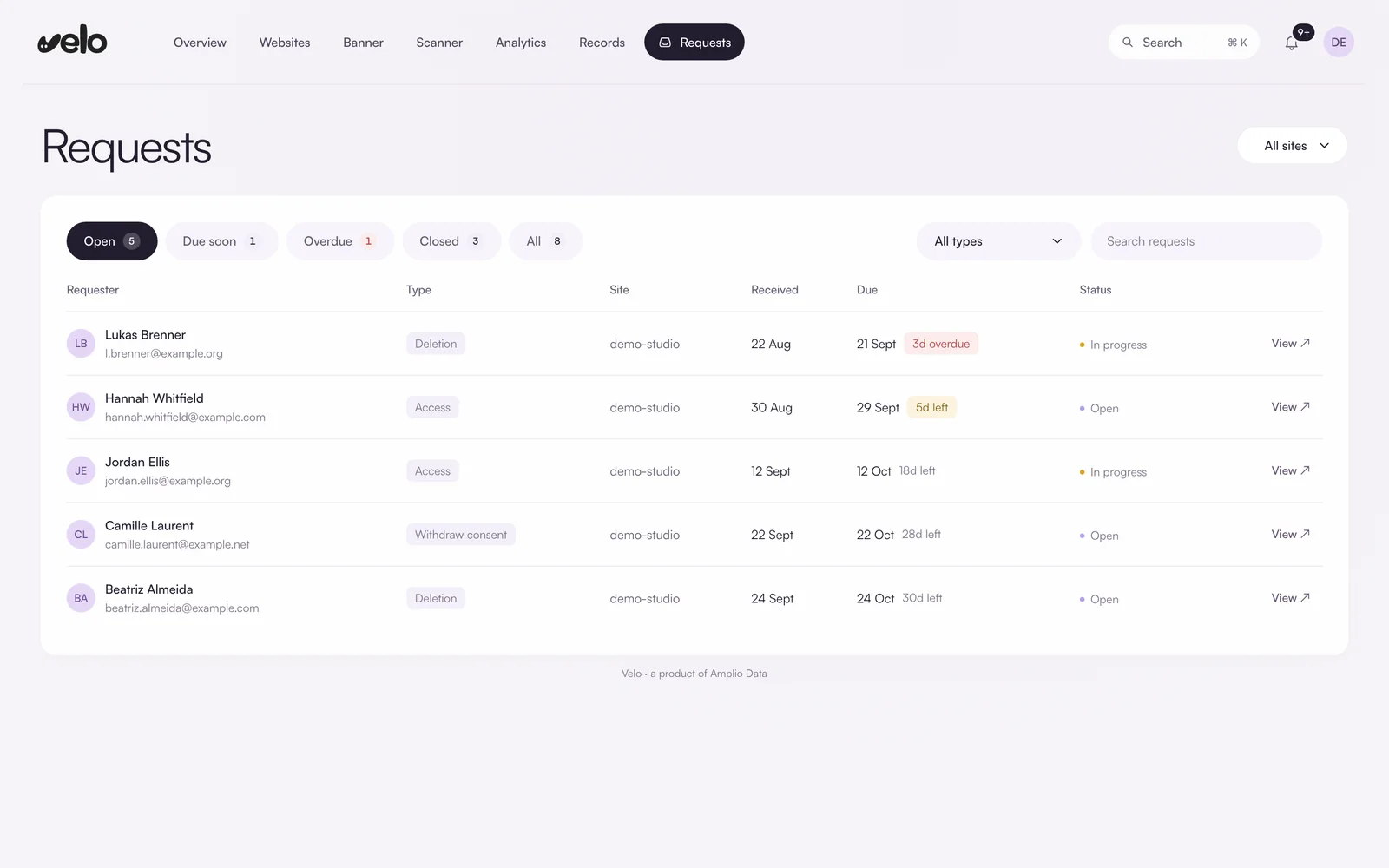
Access, deletion and consent withdrawal requests sit in one queue, each with a reply by date 30 days after it arrived. Velo warns you a week before a request is due and flags anything overdue.

  • Open, due soon, overdue and closed views
  • Filter by request type and site
  • Track each request from open to resolved
Velo privacy requests: a queue of access, deletion and consent withdrawal requests with received and due dates, days left and status.

Start with a scan.

See what your homepage already loads before you install anything. This is the kind of result the free scanner hands back.

Worth a closer look

A consent layer is there. Now verify it holds

A consent platform loads alongside 3 tracking tags from the Tag Manager container. The question no static scan can answer: do those tags wait for the visitor’s choice?

studio.example

Checks passed

2/4

Static checks on the first response

Tracking tags

3

In the page and Tag Manager

Consent platform

Detected

Present in the load

Cookies on first response

1

Any kind, set by the server

What we checked

Homepage HTML and public Tag Manager container
Tracking technology

3 tracking tags found inside Google Tag Manager. In the EEA and the UK these need consent.

Check in a browser
Consent platform

Found in the Tag Manager container. A banner alone is not enough. It has to hold tags back until the visitor chooses.

Pass
Google Consent Mode v2

Google tags are present. Whether the Consent Mode default fires before them is what a real browser check settles.

Check in a browser
Cookies before consent

No tracking cookies were set by the server on the first response.

Pass

Tags we found

GTM-XXXXXXX
G
Google Tag Manager

In the page HTML

Tag management
Google Analytics 4

Inside Tag Manager

Analytics
G
Google Ads

Inside Tag Manager

Advertising
Meta Pixel

Inside Tag Manager

Advertising

Sample result with illustrative data. The scanner reads your homepage HTML and public Tag Manager container without running JavaScript.

Install once.
Change anything later.

Add the Velo snippet or use Google Tag Manager, then verify consent behaviour before publishing. Manage banner changes from your workspace.

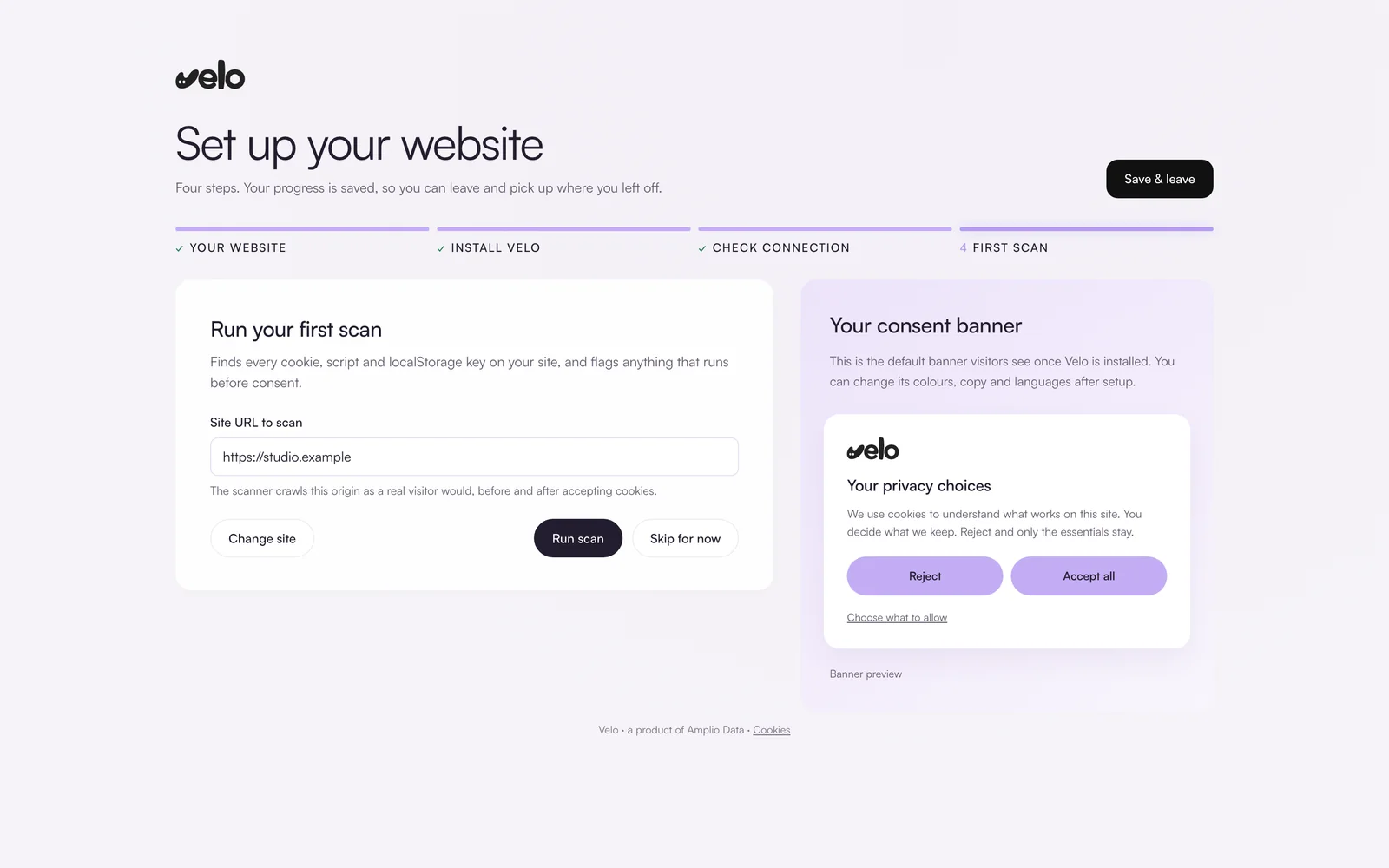
Clay browser window with googly eyes01 · Paste one snippet
Clay consent banner card with googly eyes02 · The banner goes live
Clay database stack with googly eyes03 · Signals reach your reports
One snippetPaste it once and you are done. Copy, colours, categories and regions all change from the dashboard afterwards, and the snippet itself never changes.
Or through GTMAlready running Tag Manager? The GTM guide wires the banner in and gates your tags on the consent state Velo publishes.
Guides for your platformStep by step installs for Shopify, WordPress, Webflow, Wix and nine more, each ending with a prompt you can hand to an AI assistant.
Light by designThe script is smaller than a single product photo and loads deferred, so your speed scores stay where they are.

Works with
your platform.

Velo works on any site where you can add one line to the page head or one tag in Google Tag Manager. Pick your platform to see how Velo fits it and how to install it.

Switching from another consent platform? Compare Velo with Cookiebot, CookieYes, OneTrust or Usercentrics.

Privacy work.
For your kind of team.

A shared workspace for the teams responsible for their website and its visitors.

The Velo mascot flips one of four consent toggles on a floating panel

For ecommerce

Connect your storefront’s consent choices to its analytics and advertising tags. Test checkout separately so you know which events your setup can send.

purchase · consentedsent ✓
purchase · declinedmodelled ✓
checkout signalfollows the choice

For SaaS

Manage consent across your marketing site and review how signup and trial events reach your analytics tools.

sign_up · campaignattributed ✓
trial → paidlinked ✓
consent mode v2wired in ✓

For publishers

Velo is not yet a registered IAB TCF CMP. If your advertising partners require a registered CMP, check our TCF status page before choosing Velo.

banner painted34ms
programmaticintact ✓
iab tcf v2.3on the way

For agencies

Manage the client accounts you have access to from the partner portal. Each client keeps their own subscription and workspace.

domains14 · one workspace
accessrole based ✓
audit trailexportable ✓

Questions,
answered.

What people ask before they switch their banner on.

Do I need a developer to install Velo?

You need access to your site’s code or Google Tag Manager. A straightforward setup may only need a snippet, but complex tag configurations may need developer help. Always test before publishing.

What is Google Consent Mode v2?

Consent Mode v2 tells Google tags which types of storage and data use a visitor has allowed. It controls how supported tags behave; it does not replace your banner or configure every other tag on your site.

Can Consent Mode help with measurement gaps?

Google may use modelling to estimate gaps in eligible accounts. The requirements differ between Google Ads and GA4 and depend on traffic and configuration. Velo provides consent signals; it does not guarantee a recovery percentage.

Which regions does Velo cover?

Opt in defaults across the EEA, the UK, Switzerland, Brazil, Peru, Colombia and Argentina, and opt out everywhere else. The rule set is resolved at the edge from each visitor's country.

Can I migrate from another CMP?

Plan the switch, check your categories and test your tags before removing the previous banner. Existing consent records and returning visitor choices need a separate compatibility check.

Will the banner slow my site down?

Velo adds a script to your page. Its effect depends on your site and tag setup, so check loading performance as part of installation rather than assuming there is no impact.

From the journal.

Is your cookie banner sending the Consent Mode v2 signal? Two reads settle it: the four consent signals inside the browser, and the state that actually reached Google on the request. 26 July 2026
Can you recover conversions lost to cookie consent? Not as observed conversions. 9 July 2026
How to add a cookie banner to a Webflow site Paste the banner in Site settings Custom code above your container, then clear Webflow's native Analytics and Pixel fields, which load outside your tag manager. 4 September 2026