


The cookie banner
built for Shopify.
Manage consent on Shopify with Velo. Bring your banner, consent records, scan findings and AI cookie categorisation into one workspace.
Free for one site and 1,500 monthly sessions. Pro from €7 a month, plus VAT, for unlimited sites.
What Velo does
on Shopify.
Install through Google Tag Manager, or paste one line into theme.liquid right after the opening head tag. No app to install, nothing to maintain in your theme, and the banner ships its own styles so your storefront theme never fights it.
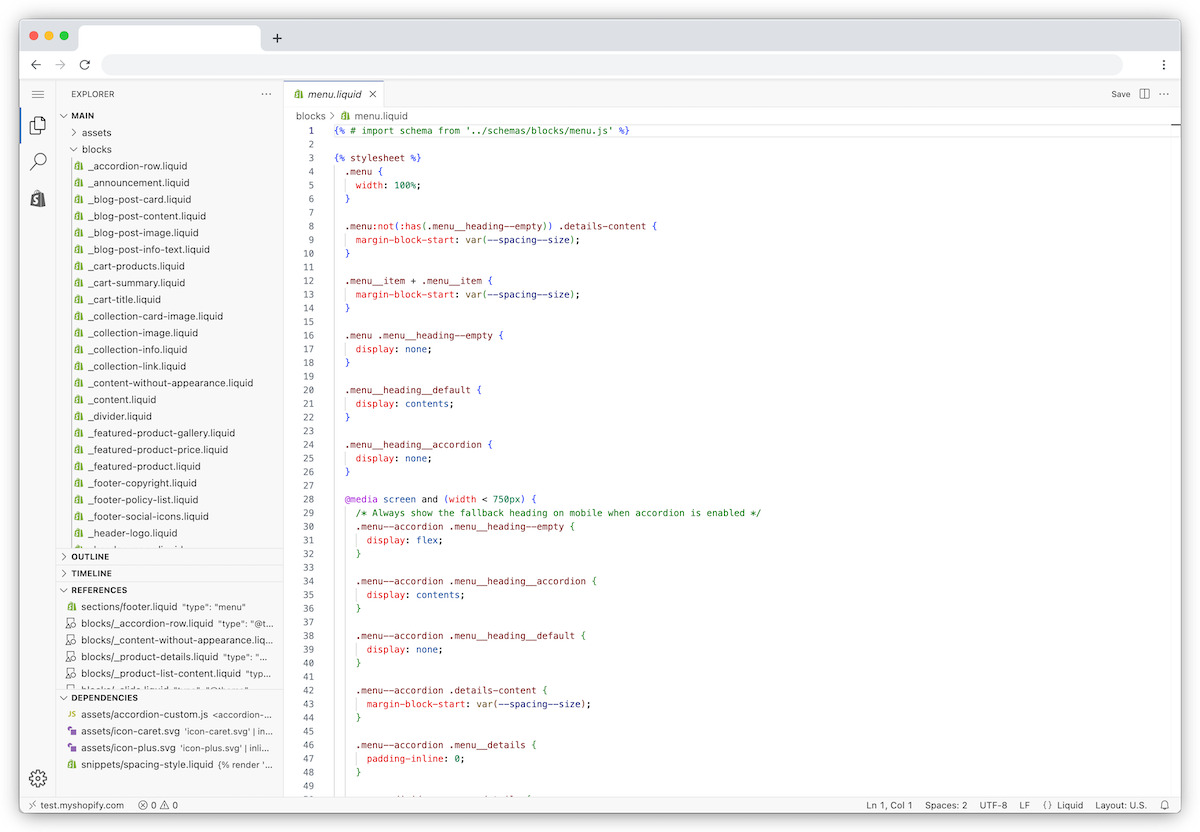
Shopify’s current theme editor. Open layout/theme.liquid and use the head of your storefront theme; checkout is a separate surface.
Shopify documentation ↗View full size ↗How it goes live
on Shopify.
Three steps. Most installs take a few minutes when you can already publish changes to the site.
-
01
Add the tag
In Google Tag Manager, import the Velo CMP template and fire it on Consent Initialization – All Pages. No Tag Manager on the store? One line in theme.liquid does the same job.
Official documentation image, reviewed 23 September 2026 Shopify’s current theme editor. Open layout/theme.liquid and use the head of your storefront theme; checkout is a separate surface.
Shopify documentation ↗View full size ↗ -
02
Denied by default, banner up
Velo sets the Google Consent Mode v2 defaults before your other tags run, denied where your region settings ask for opt in, then shows the banner. Google tags adjust to the choice and tags you gate on Velo's consent event wait for it. Every choice is saved to your consent records.
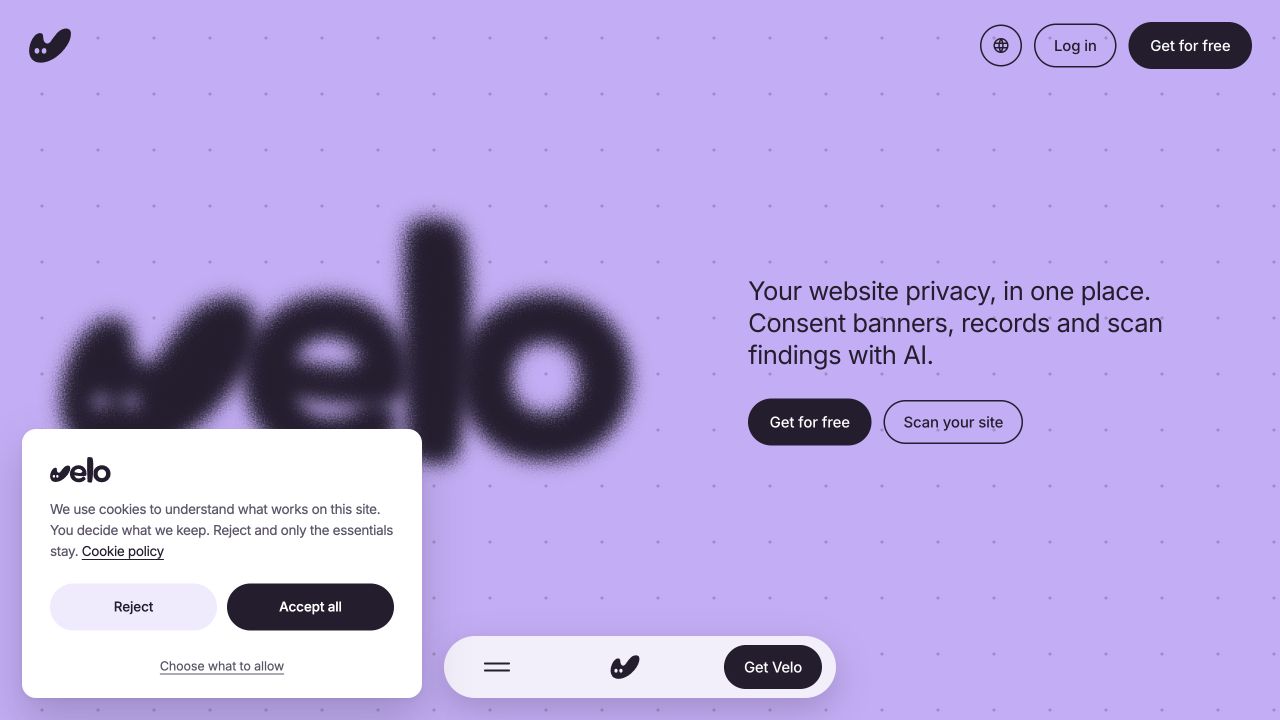
Live interface capture · 23 September 2026 The real banner on veloconsent.com, captured on 23 September 2026. Your banner’s copy, layout and region settings may differ.
Velo live site ↗View full size ↗ -
03
Verify, then publish
Check that the consent signals change in Tag Assistant when you accept and when you reject, then publish. Run the same check again whenever you change your tags or banner settings.
Using a different platform? See every supported platform.
Shopify questions,
answered.
What teams putting a banner on Shopify ask first.
Does Velo work with my Shopify theme?
Yes. The banner renders inside Shadow DOM, so it carries its own styles and your theme's CSS never bleeds into it. It is one script of at most 30KB, installed through Google Tag Manager or one line in theme.liquid, and it works the same on any theme, Online Store 2.0 or vintage.
Do I need an app from the Shopify App Store?
No. Velo is not a Shopify app. It installs like your other measurement does: a tag in Google Tag Manager or a single line in your theme. That also means nothing new shows up in your app list to slow the storefront down.
What happens to my ad reporting when visitors decline?
You see fewer observed conversions from visitors who decline. With Consent Mode v2, Google tags adjust to each choice, and in advanced mode they can still send cookieless pings. Google may model some of the missing conversions when its eligibility and traffic conditions are met. That is not guaranteed.
Will the banner slow my store down?
The script stays at or under 30KB and loads without blocking rendering. Your product pages paint first; the banner arrives politely after.
From the journal.
Website privacy, in one place.
Scan your site →