


Privacy checks,
right in Chrome.
The Velo privacy inspector is a Chrome extension that checks the page you are on: cookies set before a visitor chooses, a Reject all that is missing, privacy details worth a second look. It opens in Chrome's side panel, so the findings sit next to the site.
Install it in
three steps.
When it launches, the inspector installs like any other Chrome extension. Join the waitlist and we will email you the link.
Three steps from the Chrome Web Store to your first check.
-
01
Add it from the Chrome Web Store
Open the Velo privacy inspector listing on the Chrome Web Store and choose Add to Chrome. Chrome shows what the extension can access before it installs, so you can read the list first. The listing goes live at launch, and the waitlist gets the link by email.
Chrome Web Store→Add to Chrome→Add extension -
02
Pin it to your toolbar
Click the puzzle piece icon to the right of the address bar, find Velo privacy inspector and click the pin next to it. The Velo icon now sits in your toolbar, one click away.
Extensions→Velo privacy inspector→PinChrome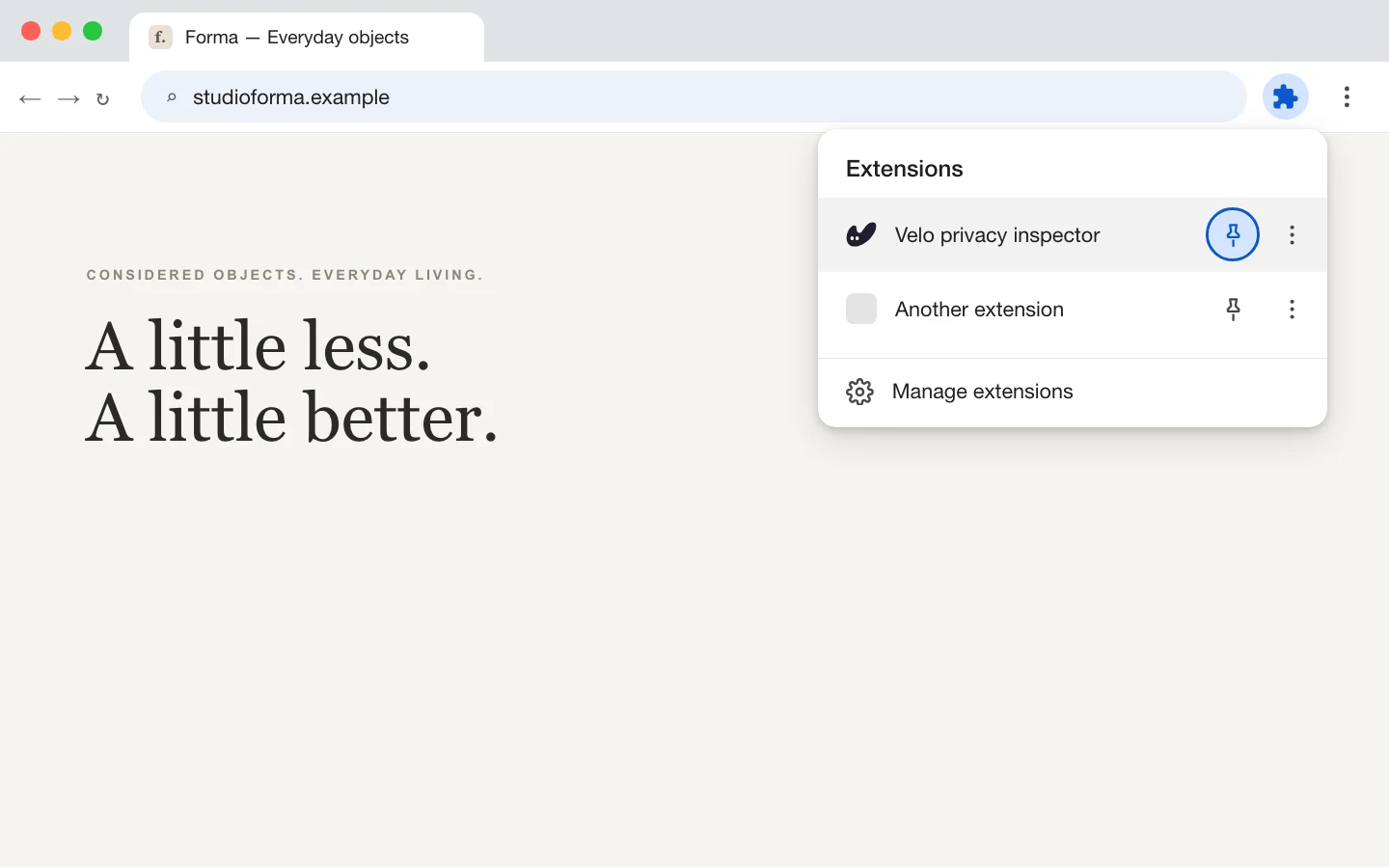
-
03
Open it on the site you want to check
Go to the page you want to check and click the Velo icon. The inspector opens in Chrome's side panel, next to the site, so the page and its findings stay in view together.
Velo icon→Side panelSample data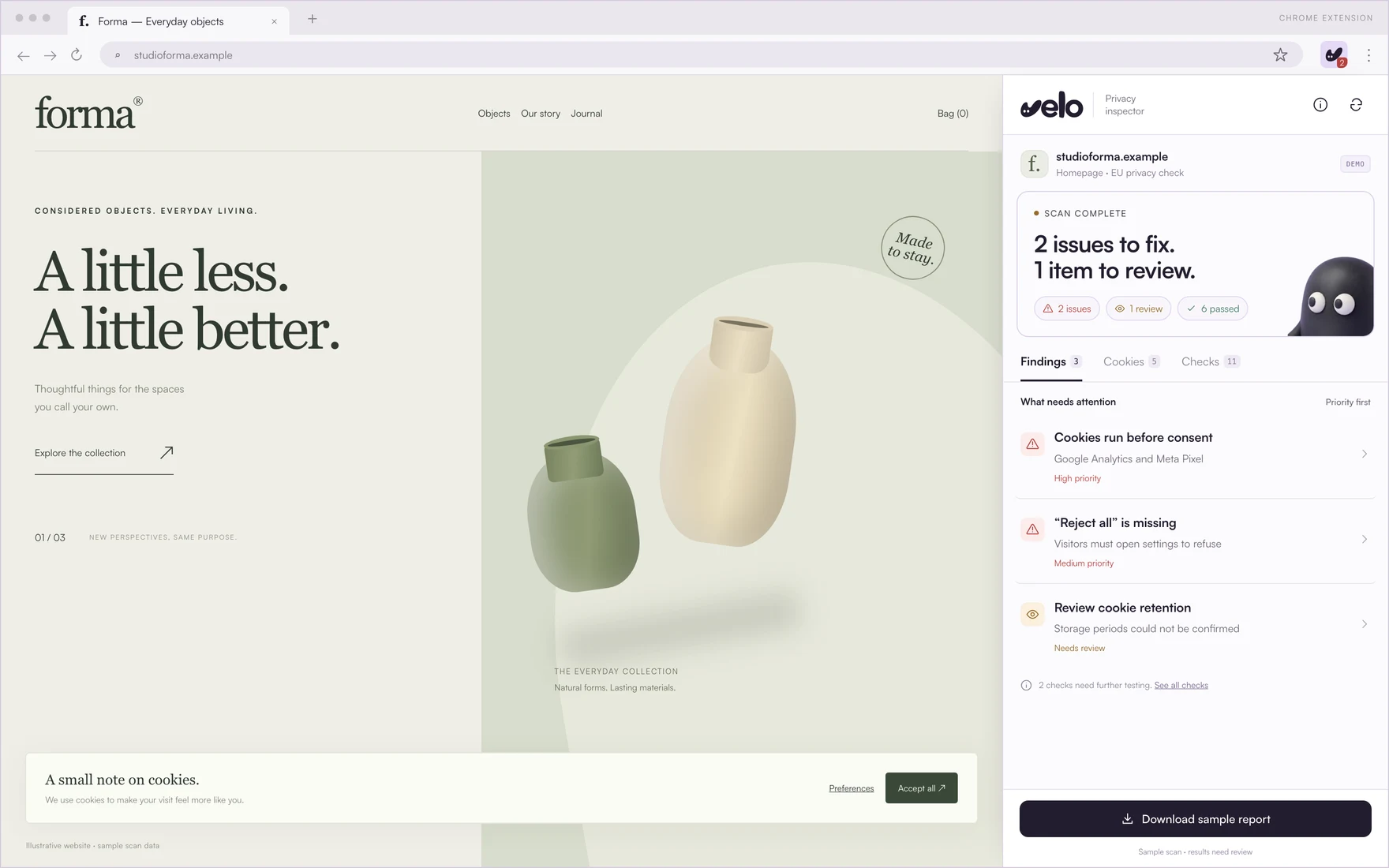
How it
works.
Three screens, in the order you meet them: check the page, see what needs attention, then fix it.
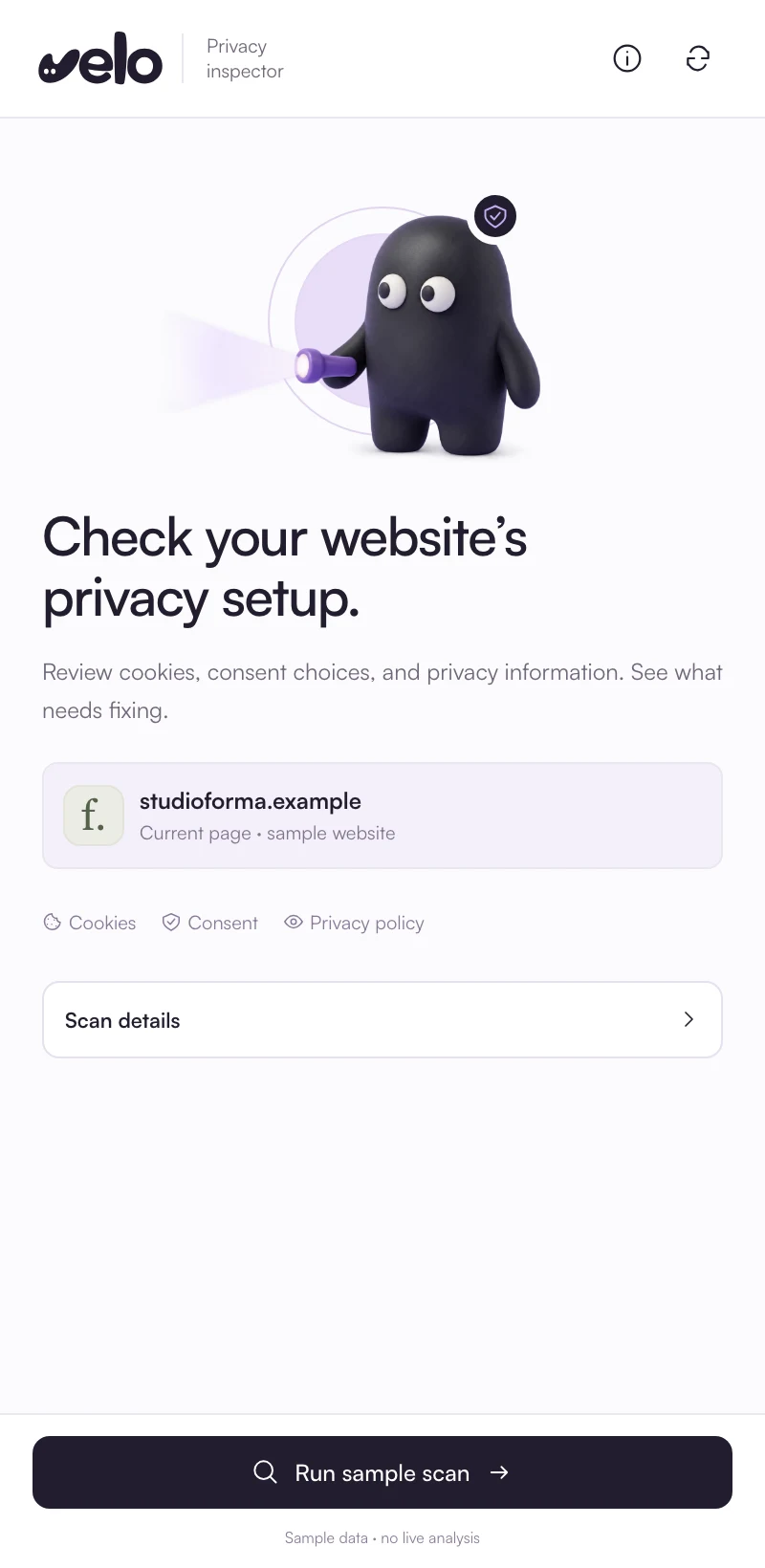
Check the page you are on
The inspector reads the site in your current tab and checks it in three areas.
- Cookies
- Consent choices
- Privacy information
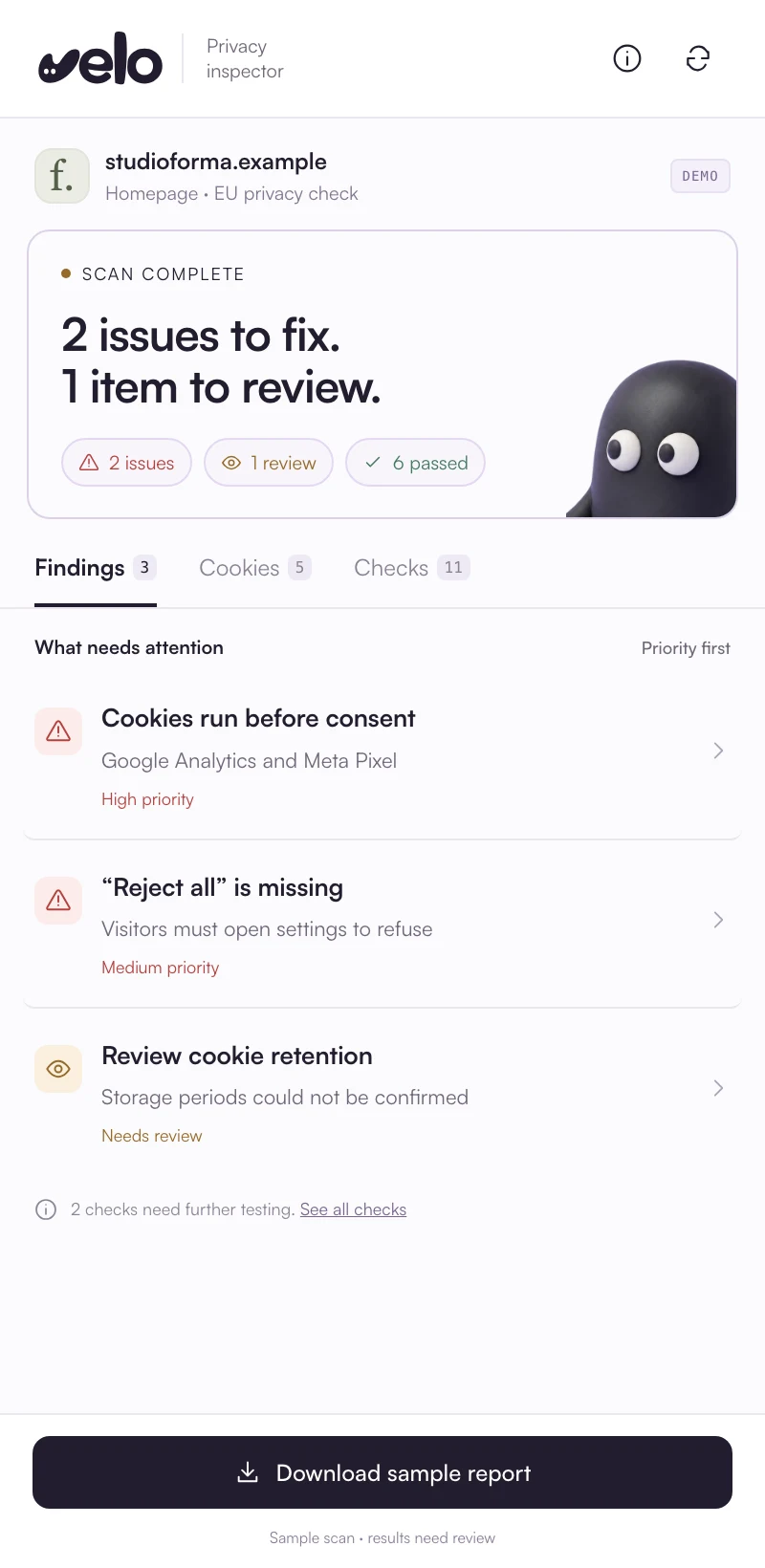
See what needs attention
Findings come back priority first, each with a plain status. Cookies and every check have their own tabs.
- Issues to fix
- Items to review
- Checks that passed
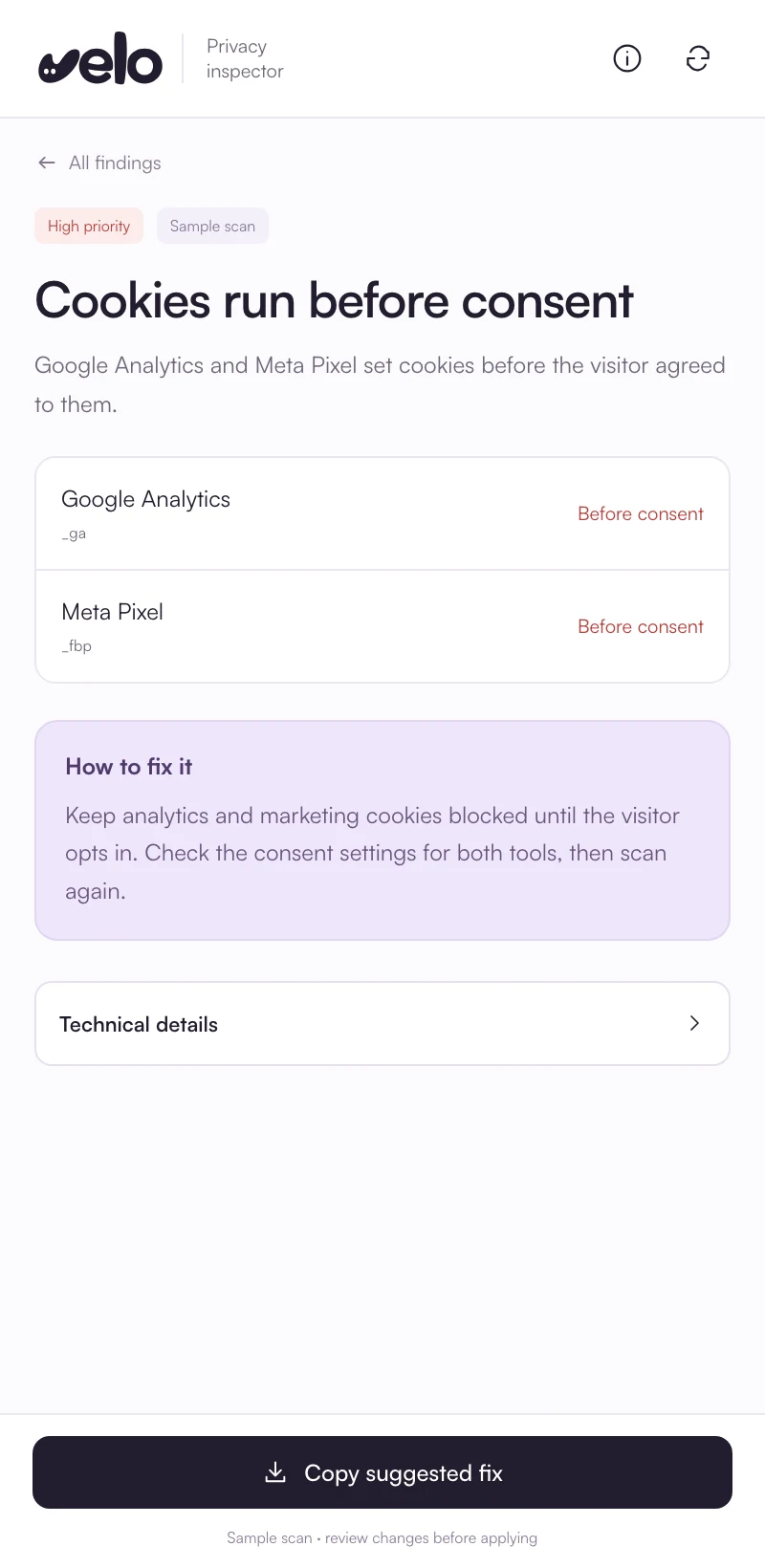
Understand what to fix
Open a finding to see the evidence behind it and the fix in plain words.
- The evidence
- How to fix it
- Technical details, one click deeper
Screens from the final design, shown with sample data.
What it
checks.
Each finding is one check with the evidence behind it, marked as an issue to fix, an item to review, passed or not tested.
Cookies
Which cookies the page sets, and whether any are set before the visitor makes a choice.
Consent choices
Whether refusing is as easy as accepting, and whether the choice is respected.
Privacy information
Whether visitors can find the notices that explain what happens to their data.
What it will not claim
A scan can highlight potential problems. It cannot confirm full compliance or see how a server handles data.
Be first
to try it.
Leave your email and we will write when the extension is on the Chrome Web Store.
You are on the list.We will email you when the extension launches.
Check your
site today.
The extension is on its way. These work now.
Free cookie scanner
Reads your homepage like a first time visitor: the trackers that load, the consent layer and Google Consent Mode v2.
Scan your siteScan in your Velo account
The browser scan in a Velo account lists every cookie your pages set, before and after Accept all. Free accounts get one scan a month.
Get Velo freeInstall guides
Fix what a scan finds with the Velo banner: step by step installs for thirteen platforms and Google Tag Manager.
See every platformExtension
questions.
What people ask before the extension launches.
When will the extension be available?
It is in development: the design is final and the checks are being built now. Join the waitlist and we will email you the Chrome Web Store link when it launches.
Which browsers will it work in?
Chrome on desktop. The inspector is built on Chrome's side panel, which keeps the findings next to the page you are checking.
What will it check?
Cookies, consent choices and privacy information on the page you are on: cookies set before a choice, whether Reject all sits on the first layer next to Accept, whether optional categories start switched off, the Consent Mode defaults, and whether the privacy and cookie notices are linked.
Does a clean result mean my site is GDPR compliant?
No. Each finding is one check with the evidence behind it. A scan can highlight potential problems, but it cannot confirm full compliance or see how a server handles data, so those checks are marked not tested rather than passed.
What will the extension be able to access?
Only what its checks need. Chrome lists an extension's permissions before you add it, so you can read them before anything installs.
Can I check my site before it launches?
Yes. The free cookie scanner reads your homepage in seconds, and the browser scan in a Velo account lists every cookie your pages set. Free accounts get one scan a month.
Website privacy, in one place.
Scan your site →