Industry
Cookie consent for healthcare and pharma
Keep analytics and advertising tags off health pages until a visitor has chosen, and keep a record of each choice. Velo is a consent layer for websites and makes no HIPAA claim.
Examples on this page use sample data. This is not legal advice.
A consent banner does not by itself make tracking on patient pages lawful
Velo makes no HIPAA claim and holds no health sector certification. It holds the tags you mark until a visitor allows them, and records the choice. Which tags belong on a health page at all is a decision for you and your advisers.
A page view can reveal a health concern
When someone reads about a condition or books an appointment, the address of the page already says something about their health. Analytics and advertising tags that pass that address to third parties are the main privacy risk on a clinic, hospital or pharma site.
What goes wrong
- Advertising pixels fire on condition and appointment pages.
- Tags run before a visitor has chosen.
- The banner makes refusing harder than accepting.
What Velo does
- Holds scripts marked analytics or advertising until the visitor allows that category.
- Sets Consent Mode v2 to denied before Google tags run in opt in regions.
- Shows Reject and Accept all side by side on the first layer.
- Records every choice without the visitor’s IP address.
What a tag reveals, page by page
The same tag gives away more on some pages than on others. Here’s one cautious way to set up a clinic’s site.
| Page | What a tag there can reveal | A cautious setup |
|---|---|---|
| Homepage and about pages | Not much, only that someone visited the clinic’s site. | Analytics and advertising tags, held until allowed. |
| Condition and treatment pages | The condition someone is reading about. | Analytics held until allowed, and no advertising pixels. |
| Booking form | That someone is booking, and for what. | Only the cookies the form needs. |
| Patient portal | That someone is a patient. | No marketing tags, and Velo isn’t built for portals. |
An example of a cautious setup, not legal advice. Which tags load on which page is set in your tag manager, and Velo holds the ones you mark.
A private clinic with online booking
A clinic’s site has treatment pages, an online booking form, Google Analytics 4, a chat widget and the Meta Pixel for local campaigns.
Illustrative example with sample data, not a customer story.
On a treatment page, before a choice
The clinic has marked the Meta Pixel and the chat widget, so neither loads. Google Analytics waits with its signal denied. Only the cookie the booking form needs is set.
The visitor rejects and books anyway
Nothing optional loads for the rest of the visit, the booking goes through and the refusal is recorded. The booking itself is stored by the clinic’s booking system, not by Velo.
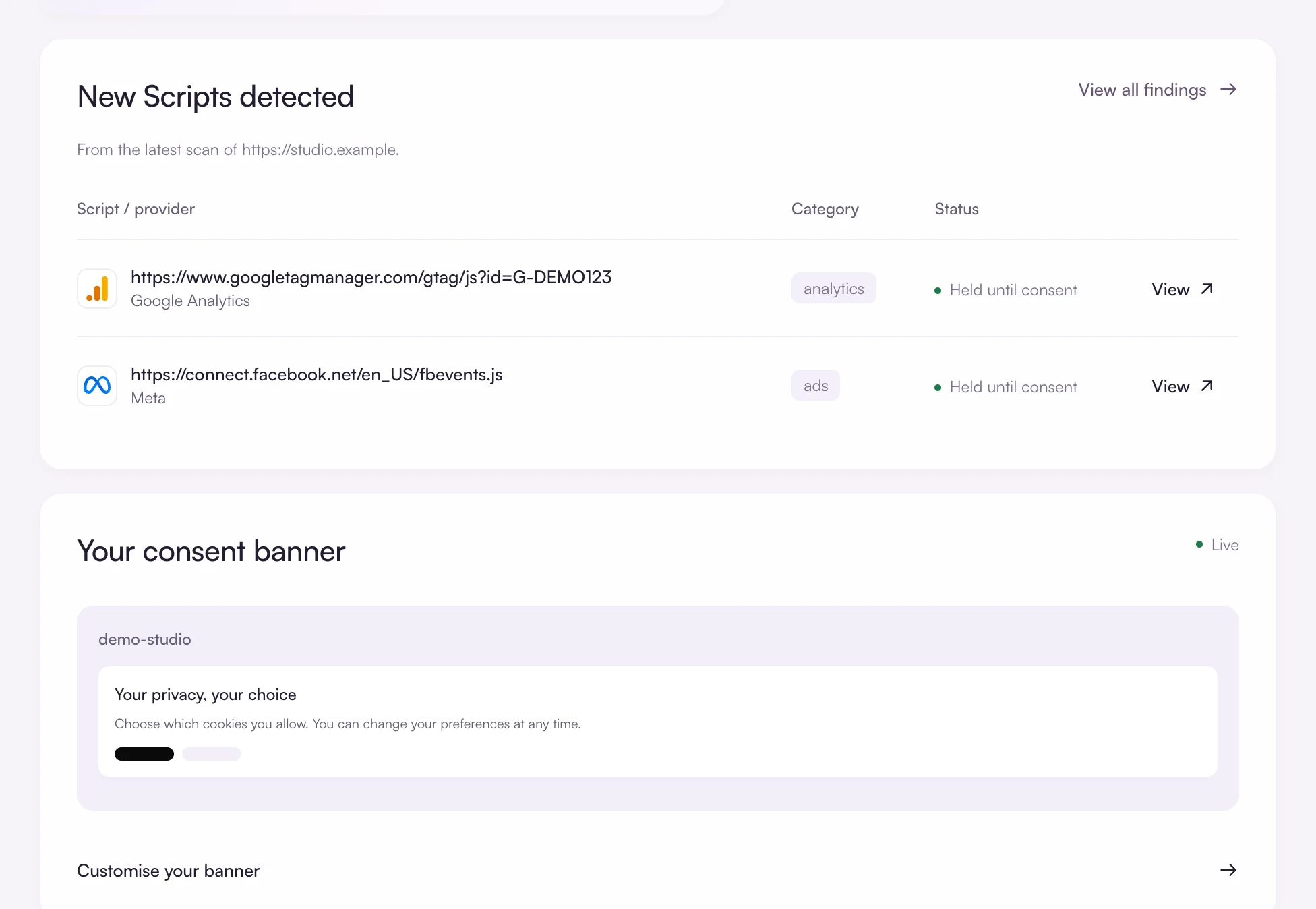
See what’s being held back
The overview lists newly detected scripts with their category and whether each is held until consent. Mark every analytics and advertising script, so none runs before a choice.
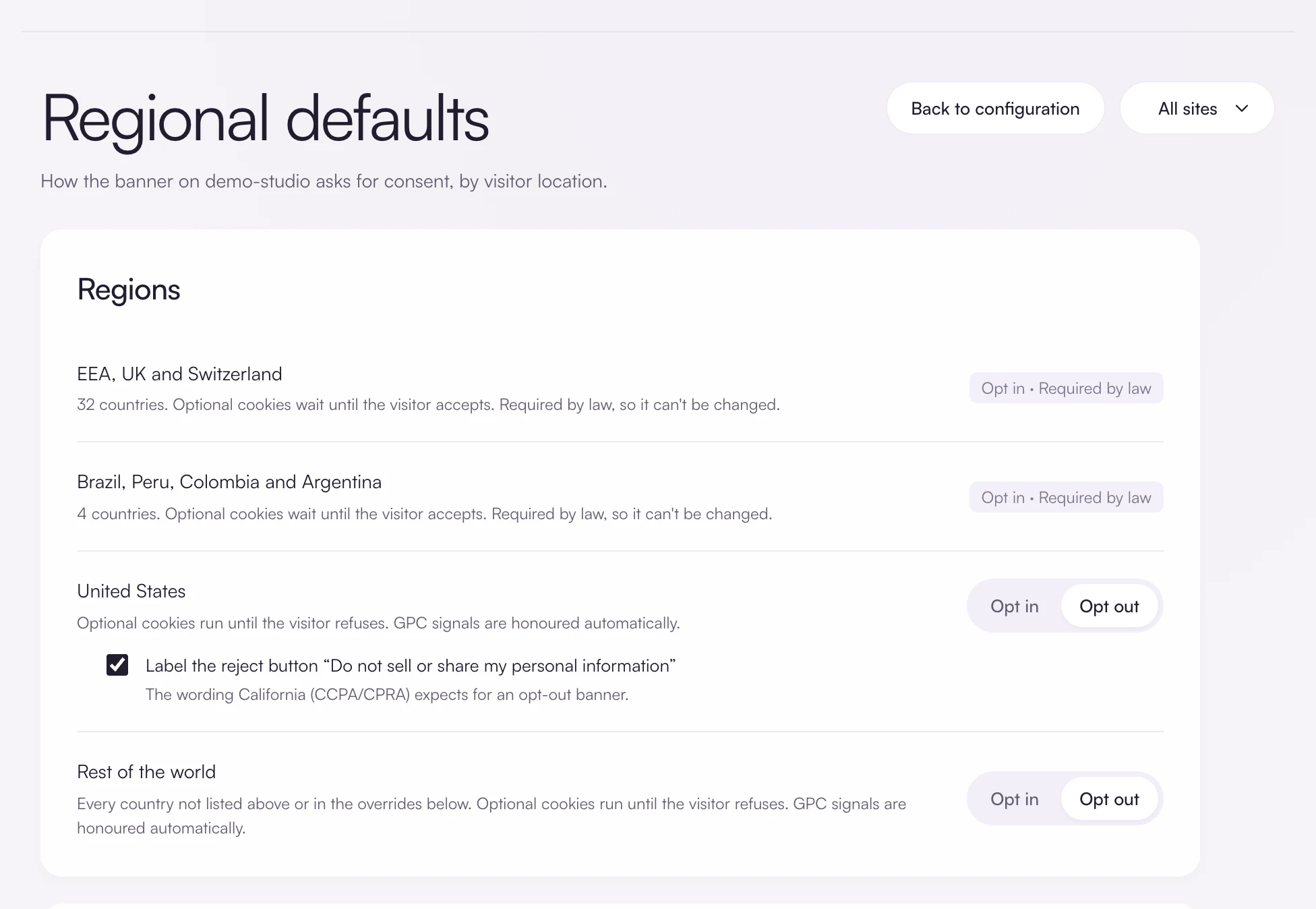
Check the default in each region
Opt in is locked across the EEA, the UK, Switzerland, Brazil, Peru, Colombia and Argentina. For the United States and the rest of the world the default is opt out, and you can switch either to opt in.
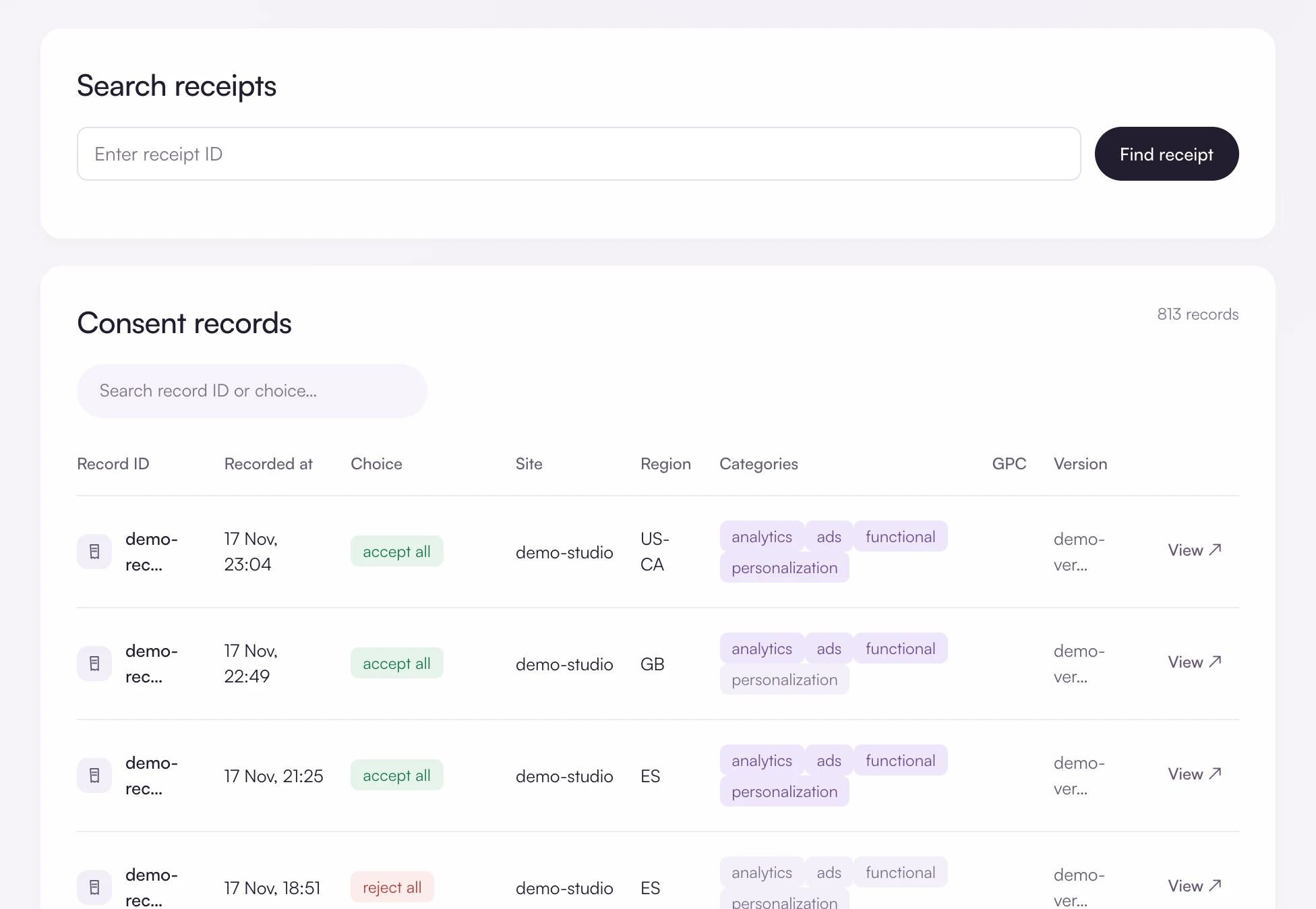
Keep the evidence
Look up a single receipt, or export decisions as CSV with the choice, region, categories and Global Privacy Control status on each row.
What Velo covers, and what it does not
The limits, stated plainly, so you can decide before you install anything.
Questions and answers
Is Velo HIPAA compliant?
Velo makes no HIPAA claim. It is a consent layer for public websites and does not process patient records. If HIPAA applies to you, take advice on which tags may run on your pages at all, with or without a banner.
Should advertising pixels run on appointment pages after consent?
That’s a legal and ethical call for you and your advisers. Velo can hold a marked script until advertising is allowed, or you can keep the pixel off those pages altogether by not loading it there.
Does Velo make my website compliant?
No tool can promise that. Velo gives you a banner with a real choice, regional defaults, consent signals for your tags and a record of each decision. Whether your whole setup meets the law depends on what your site does with data, which is for you and your advisers to assess.
Free for one site
Banner, scan and consent records for one site, free. Pro from €7 a month, plus VAT, for unlimited sites.